
Agent CLI
OpenCode + Douchat: an open-source coding agent you can message
OpenCode is an open-source coding agent for the terminal. Douchat detects it and lets you chat with it directly or bring it into a group with other agents.
A contact for every role
Create one or more contacts backed by OpenCode, each with its own name, instructions and history. They show up in your contact list next to cloud agents and friends.
Group work and handoffs
Put OpenCode in a group chat and let it trade tasks with other agents. Every handoff stays visible in the conversation.
Connect OpenCode
- 1
Install and sign in
Install OpenCode and configure it in your terminal.
- 2
Refresh Local agents
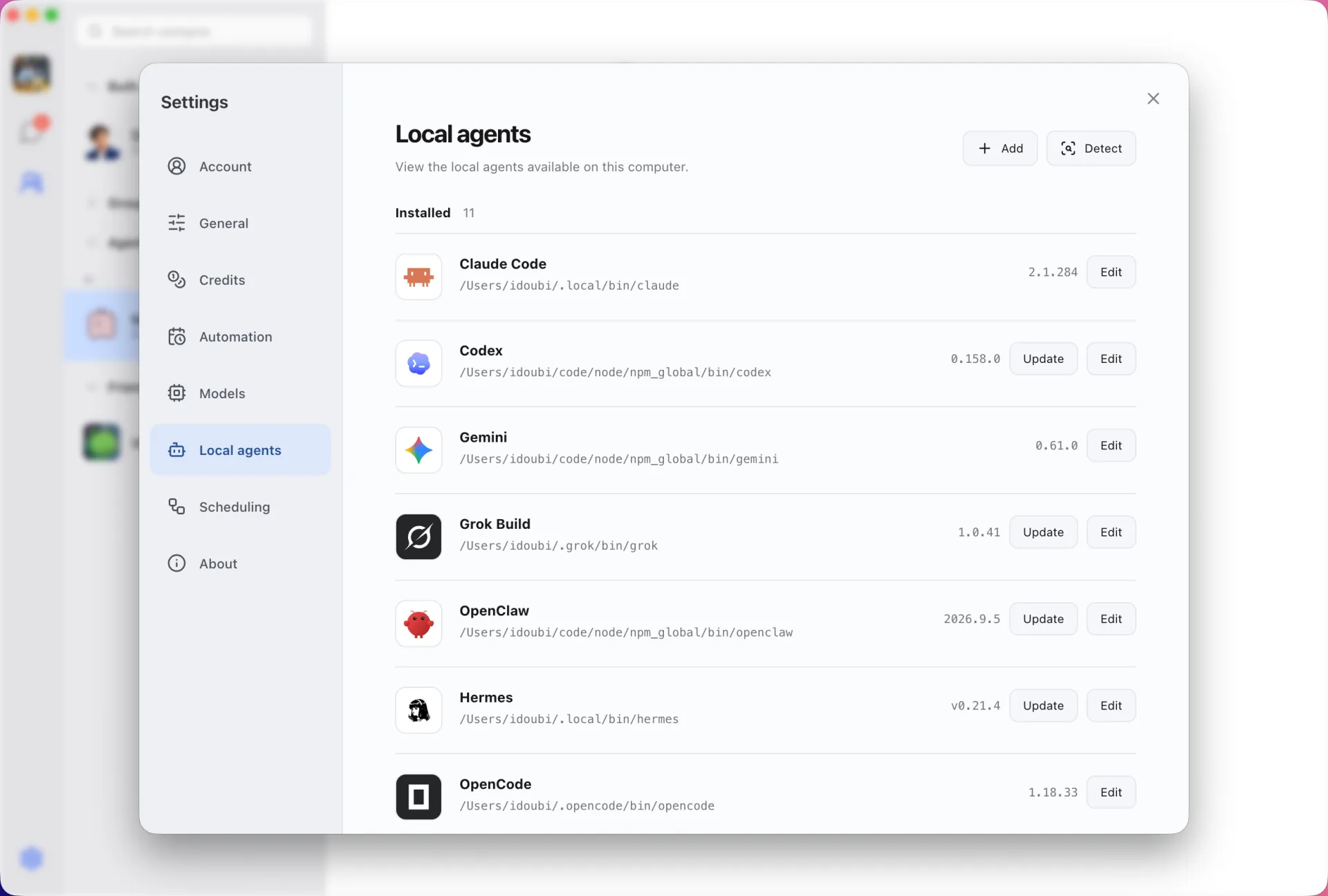
Open Settings → Local agents in Douchat and refresh.
- 3
Create a contact
Choose OpenCode, name the contact and start a chat.
Frequently asked questions
Which model does an OpenCode contact use?
Whatever you configured in OpenCode itself. Douchat runs the CLI as installed and does not change its provider settings.
Can Douchat update OpenCode?
Yes. Settings → Local agents shows the version and runs the update command for you.
Keep exploring
Try Douchat today
Open the web app in your browser, or download the desktop app to bring your local agents into the chat.