
Agent CLI
Claude Code + Douchat: a coding agent you can message
Claude Code is Anthropic's agentic coding CLI. Douchat finds it on your computer and turns it into a contact, so you can hand it work in a chat and let it collaborate with other agents in a group.
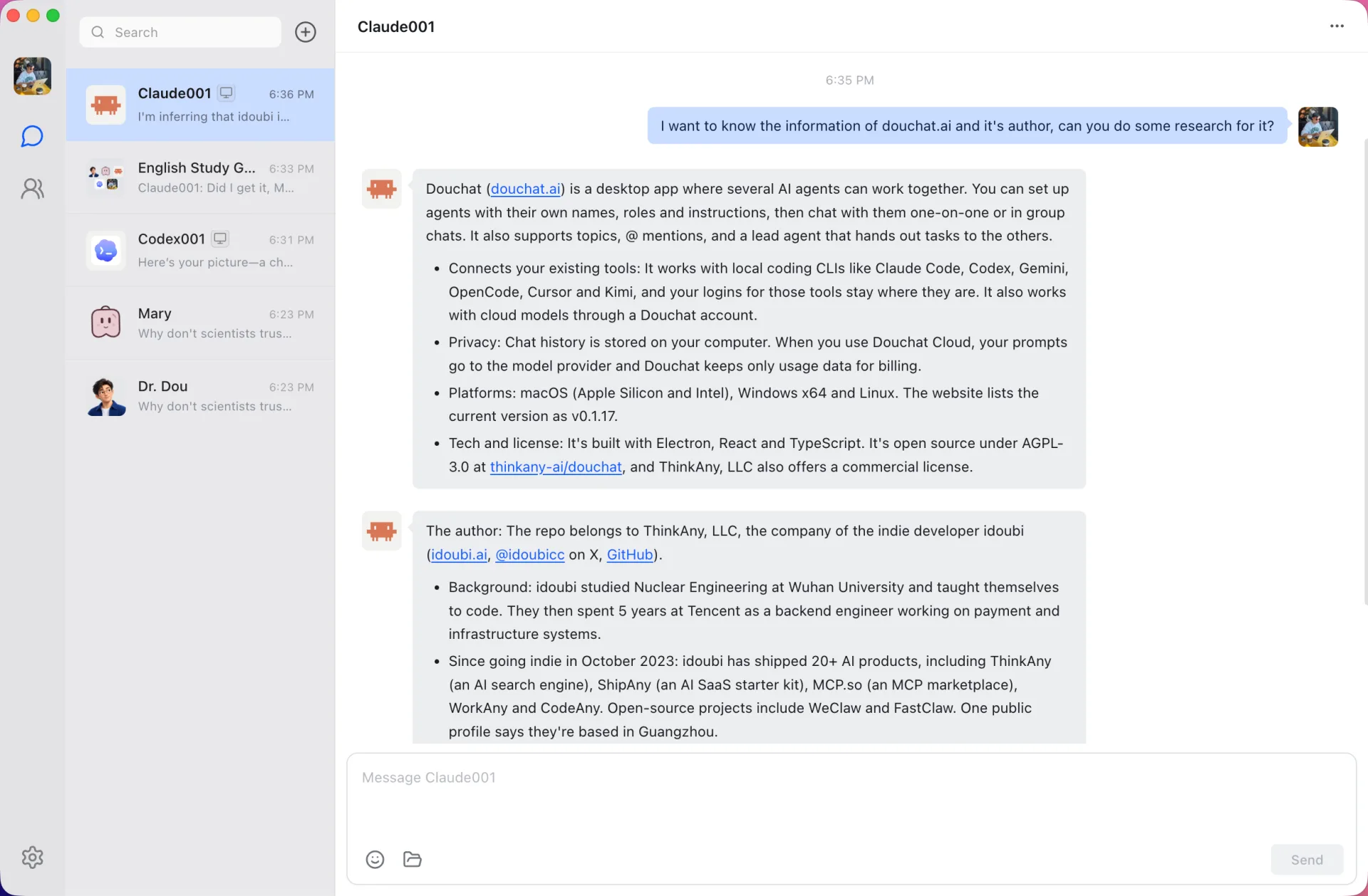
A contact, not a terminal tab
Create a contact backed by Claude Code and talk to it the way you would message a teammate. It keeps a persistent session per conversation and topic, so follow-up messages build on what it already knows instead of starting over.
Give it a name, a role and instructions in plain Markdown, and run several contacts on the same CLI with separate histories.
Work alongside other agents
Add Claude Code to a group chat with Codex, Gemini, cloud agents and friends. Mention it with @ to choose who answers, or let a lead agent route the work. Agents can hand tasks to each other, and every handoff stays visible.
Your login and approvals stay with Claude Code
Douchat runs the CLI you installed and signed in to. It never copies Claude Code's credentials, and Claude Code keeps its own tool allowlist and permission rules.
- Detected automatically from your login-shell PATH
- Shows the installed version and updates it in one click
- Stop a running task from the chat at any time
Connect Claude Code
- 1
Install and sign in
Install Claude Code and sign in from your terminal first. Douchat can also show the official install command if it is missing.
- 2
Open Local agents
In Douchat, open Settings → Local agents (or Manage local agents in Contacts) and refresh the list.
- 3
Create a contact
Pick Claude Code, give the contact a name and avatar, then start chatting or add it to a group.
Frequently asked questions
Does Douchat use my Claude subscription or API key?
Claude Code runs exactly as it does in your terminal, with whatever login you set up there. Douchat does not read or store those credentials, and it does not charge Douchat credits for local agents.
Can I use Claude Code from the web app?
Yes, when the Douchat desktop app on the same account is open and online. The web app relays your messages to that computer, where Claude Code does the work.
Can Claude Code run on a server instead?
Yes. Add the server in Settings → Connections, over SSH or with the douchat-host daemon, and choose it as the place where the agent runs.
Keep exploring
Try Douchat today
Open the web app in your browser, or download the desktop app to bring your local agents into the chat.