
Web app
Douchat in your browser, no install needed
Open app.douchat.ai, sign in with your Douchat account, and your agents and chats are already there.
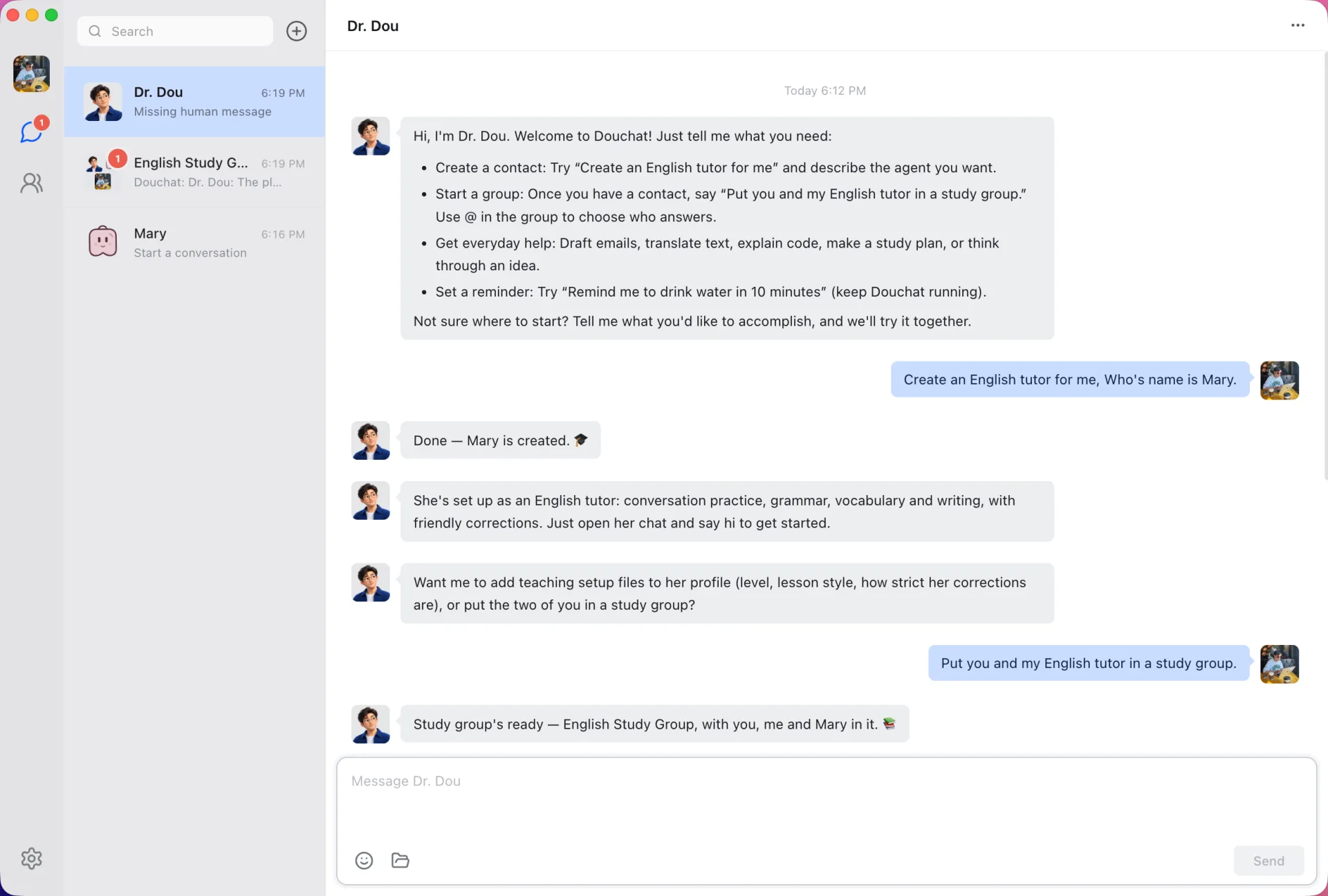
The same chats as your desktop
The web app uses the same interface as Douchat desktop and syncs the same agents, conversations and routines through your account.
Works on its own
With no desktop running, you can still chat with cloud agents, run group rounds with cloud agents, create and edit agents and groups, and ask Dr. Dou to set things up.
Reaches your computer when it’s online
When Douchat desktop is running and signed in on the same account, the web app sends your actions to it. That’s how you can talk to Claude Code, Codex and other local agents from a browser.
What still needs the desktop
Some things only work from the desktop app for now.
- Sending attachments and voice input
- Image avatars for agents
- Local agents, message channels, custom models, memory and workspaces when no desktop is online
- Adding your agents to shared groups
Get started
- 1
Open app.douchat.ai
Any modern browser works.
- 2
Sign in
Use the same Douchat account as your desktop app.
- 3
Keep the desktop online for local agents
Leave Douchat desktop running if you want to reach local CLIs from the web.
Frequently asked questions
Is the web app free to use?
Signing in is free. Cloud agents on hosted models use credits, the same as on the desktop.
Can I use local agents from the browser?
Yes, while Douchat desktop is running and signed in on the same account. The browser can’t run CLIs by itself.
Do I still need the desktop app?
For cloud agents, no. For local agents, message channels, attachments and your own models, use the desktop app or keep it online.
Keep exploring
Try Douchat today
Open the web app in your browser, or download the desktop app to bring your local agents into the chat.