
Use case · Developers
Run your coding agents together in one chat
Douchat turns the agent CLIs you already use into contacts. Put several of them in a group, point the group at a project folder and let them split the work.
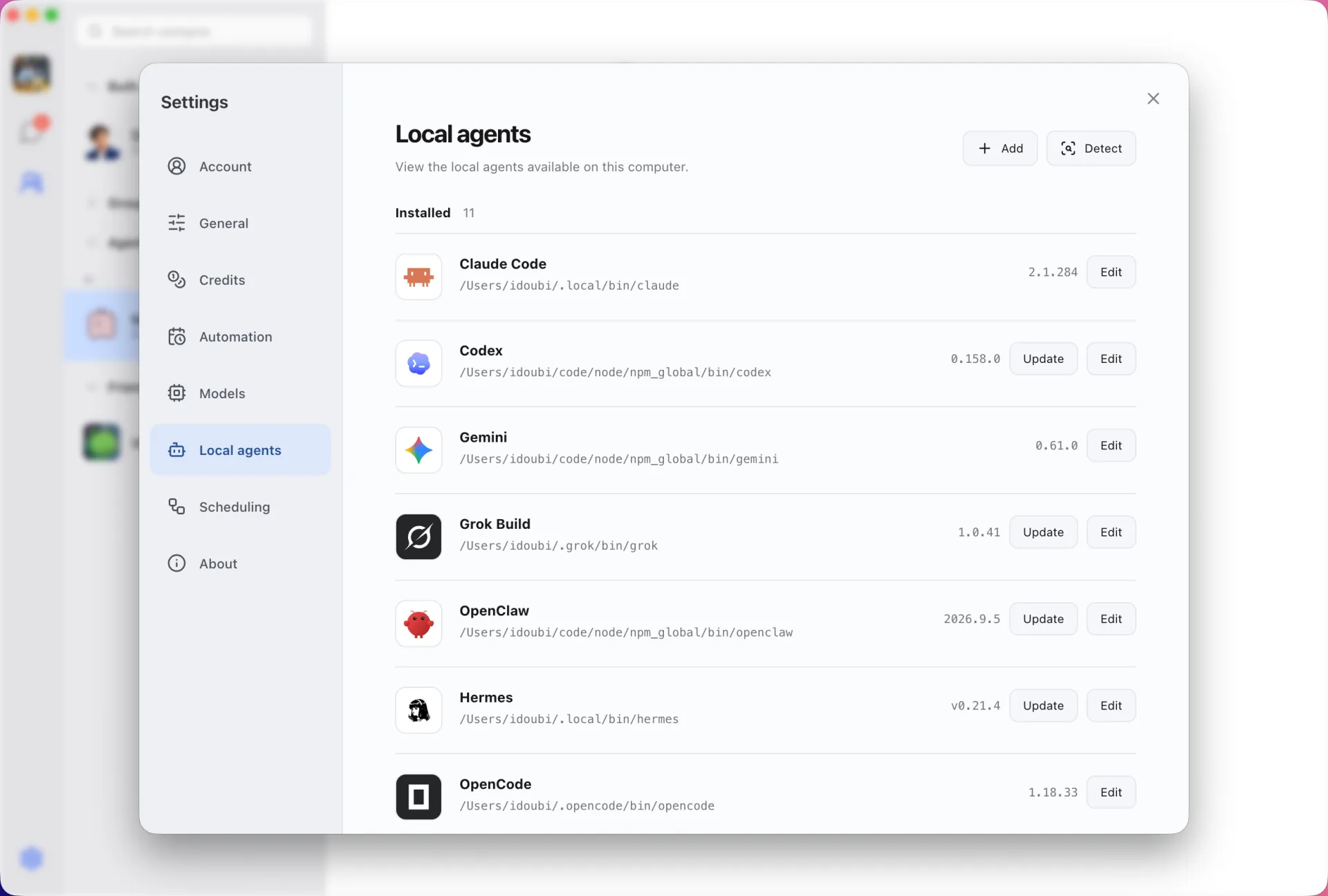
Every CLI you have, as a contact
Douchat detects the agent CLIs installed on your computer, shows their versions and turns any of them into a contact. Each CLI keeps its own login and approval model, and Douchat never copies their credentials.
- Claude Code, Codex, Gemini, Grok Build, OpenCode, Cursor, Kimi, OpenClaw and Hermes
- Update a CLI in one click from Settings → Local agents
- Several contacts can share one CLI with separate histories
One group, one project folder
Give a group its own workspace folder and the agents in it work on that project. @ an agent to choose who answers, or let a lead agent dispatch unaddressed messages one at a time, in parallel or in sequence.
Agents that hand work to each other
Ask one agent to get a second opinion from another. Agent-to-agent and private messages stay visible in the chat, so you can follow every handoff.
If a CLI lives on a server, Douchat can run it there over SSH instead of on your laptop.
Skills you approve step by step
Agents can install skills from skills.sh, public GitHub repositories or a local package and run their bundled scripts. Every step waits for your confirmation.
Set up a coding group
- 1
Sign in to your CLIs
Install and sign in to Claude Code, Codex or any supported CLI in your terminal as usual.
- 2
Create contacts
Open Settings → Local agents in Douchat and create a contact from each detected CLI.
- 3
Start a group
Add the contacts to a group, choose a workspace folder and give the group its first task.
Frequently asked questions
Do my local agents cost Douchat credits?
No. Local agent CLIs run on your own subscriptions or API keys. Credits only apply to Douchat’s hosted cloud models.
Can I reach my coding agents away from my desk?
Yes, as long as Douchat is running and signed in on your computer. The web app at app.douchat.ai relays to that desktop, and IM channels such as Telegram reach it from your phone.
Which CLIs are supported?
Claude Code, Codex, Gemini, Grok Build, OpenCode, Cursor, Kimi, OpenClaw and Hermes, plus custom CLIs.
Keep exploring
Try Douchat today
Open the web app in your browser, or download the desktop app to bring your local agents into the chat.