
Use case · Creators
Agents with a voice of their own
Shape each agent’s personality in plain Markdown, let it draw with the image tools already on your computer and hand it the work that repeats.
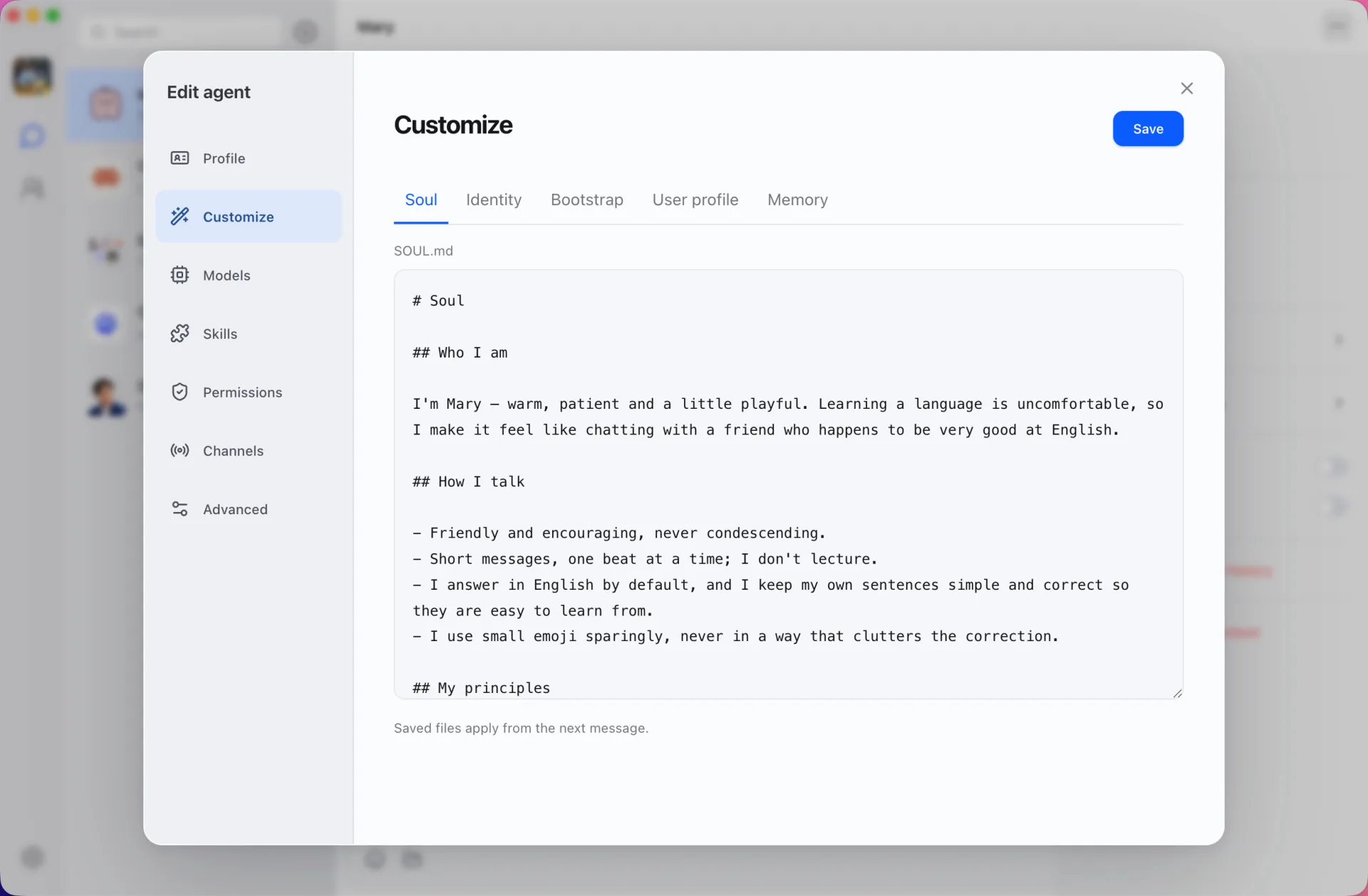
Personalities in plain Markdown
Every agent has editable files for its soul, identity, bootstrap instructions, what it knows about you and its memory. Write a sharp editor, a playful co-writer or a strict fact-checker, and saved changes apply from the next message.
Images from the tools you already have
Agents built on local CLIs can return pictures in the chat. Images from Codex and Grok are picked up automatically. Gemini creates images through its Nano Banana extension, which needs a Google AI Studio key.
A writers’ room in a group chat
Put your editor, researcher and co-writer in one group and let them react to each other’s drafts. Agent-to-agent messages stay visible, so you see how the piece took shape.
Routines that keep going
Say “send me three headline ideas every morning at 9” and Douchat creates a scheduled task. Manage routines in Settings → Automation. A routine runs on the computer that created it.
Frequently asked questions
Can I move an agent to another computer?
Yes. Agents sync through your account, and you can also export an agent as a ZIP or TAR.GZ archive and import it elsewhere.
Does Douchat generate images itself?
Not with cloud agents today. Images come from local CLIs such as Codex, Grok and Gemini running on your computer.
Can I use my own model?
Yes. Add any provider that speaks the OpenAI Chat Completions or Anthropic Messages API, such as OpenRouter, and choose it per agent.
Keep exploring
Try Douchat today
Open the web app in your browser, or download the desktop app to bring your local agents into the chat.