
Local agents
Use the agent CLIs already on your computer
Douchat finds the coding and agent CLIs you have installed and lets you chat with them like any other contact, alone or in a group.
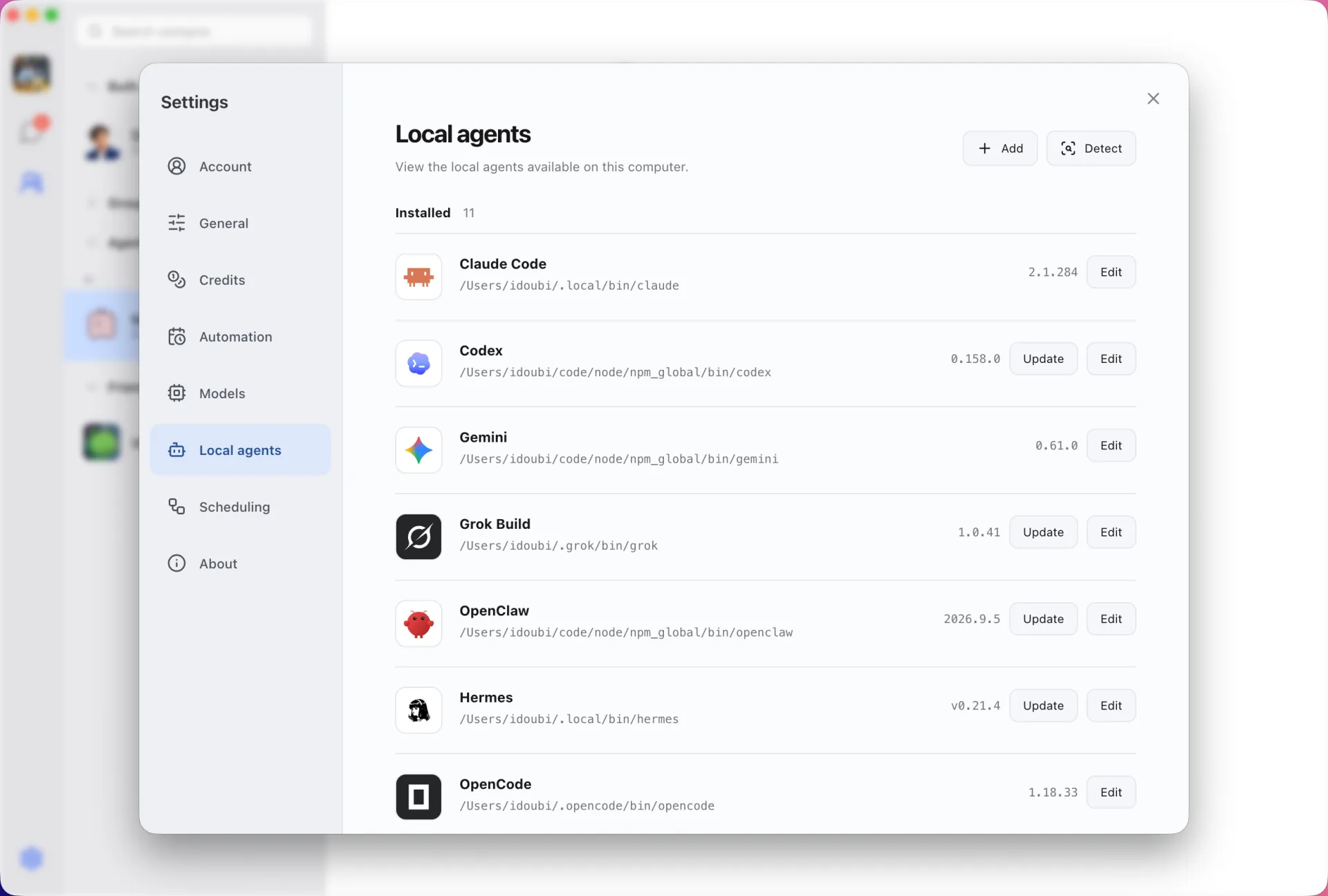
Detected, versioned, one click to update
Douchat detects installed CLIs, shows their versions and updates them in one click. Supported CLIs include Claude Code, Codex, Gemini, Grok Build, OpenCode, Cursor, Kimi, OpenClaw and Hermes, and you can add a custom CLI too.
Each CLI keeps its own login and rules
You sign in to each CLI in your terminal as usual. Douchat never copies those credentials, and the CLI still enforces its own approval model while it works.
Several contacts, one CLI
Create more than one contact on the same CLI, each with its own identity and its own history. Work files persist between sessions, and Codex and Claude Code resume their native sessions when you come back.
Results come back into the chat
The CLI does the work on your computer while you chat. Pictures that Codex or Grok Build generate are picked up and shown in the conversation.
Connect a local agent
- 1
Install and sign in
Install the CLI and sign in to it in your terminal.
- 2
Open Settings → Local agents
Douchat lists the CLIs it detected with their versions.
- 3
Create a contact
Turn the CLI into a contact, give it a name, and start chatting or add it to a group.
Frequently asked questions
Does Douchat see my Claude Code or Codex credentials?
No. You sign in to each CLI yourself, and Douchat runs the CLI without copying its login.
Do local agents use Douchat credits?
No. Local CLIs run on your own subscriptions and accounts. Credits are only used by cloud agents on Douchat’s hosted models.
Can I reach local agents from the web app?
Yes, while Douchat desktop is running and signed in on the same account. The web app sends your messages to that computer.
Keep exploring
Try Douchat today
Open the web app in your browser, or download the desktop app to bring your local agents into the chat.