
Models
Use hosted models or bring your own provider
Cloud agents run on Douchat’s hosted models out of the box. Add your own provider when you want a specific model or your own billing.
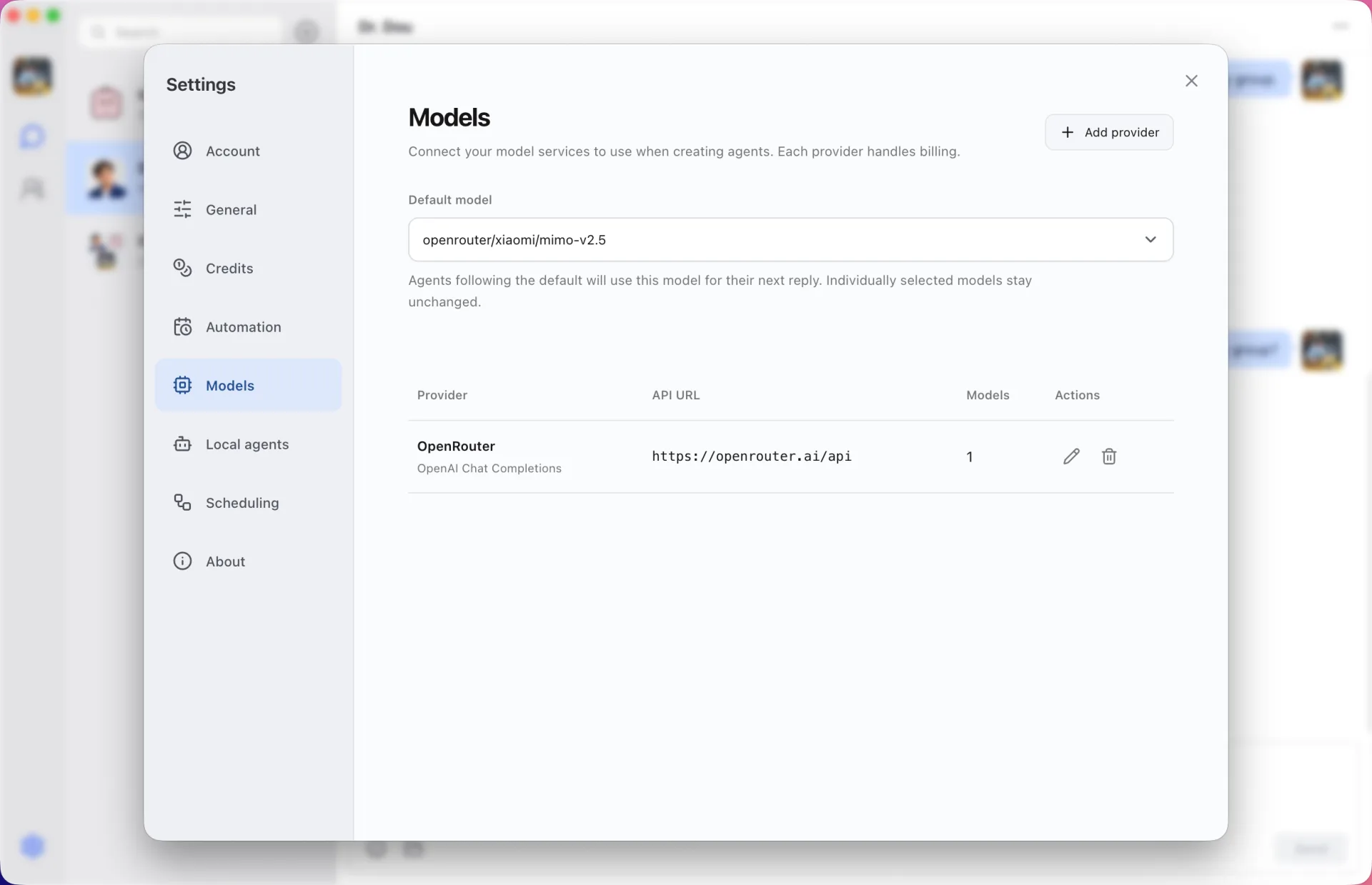
Hosted models, paid with credits
Sign in and your cloud agents can start working right away. Each hosted model has a set number of credits per request, and you top up credits when you need more.
Any OpenAI- or Anthropic-compatible provider
Add a provider that speaks the OpenAI Chat Completions or Anthropic Messages API, such as OpenRouter, OpenAI, Anthropic or DeepSeek, and choose a default model. Billing stays with that provider and doesn’t use Douchat credits.
A model per agent
Pick the model for each agent separately, so a quick helper and a careful reviewer can run on different models in the same group.
Your API keys stay on your computer
Provider API keys are kept by the desktop app and are never synced to the cloud.
Add your own provider
- 1
Open Settings → Models
Add a provider with its base URL and API key.
- 2
Choose a default model
Pick the model new agents should use.
- 3
Assign models to agents
Override the model for any agent in its settings.
Frequently asked questions
Which APIs can I connect?
Any provider that speaks the OpenAI Chat Completions or Anthropic Messages format, such as OpenRouter.
Do my own models use credits?
No. Your provider bills you directly. Credits are only for Douchat’s hosted models.
Can I use my own models from the web app?
Custom models are configured on the desktop. The web app can use them while your desktop is online on the same account.
Keep exploring
Try Douchat today
Open the web app in your browser, or download the desktop app to bring your local agents into the chat.