
Use case · Students
Build your own AI tutor and study group
Tell Dr. Dou what you want to learn. It creates the tutors and the study group for you, and they remember how you are doing.
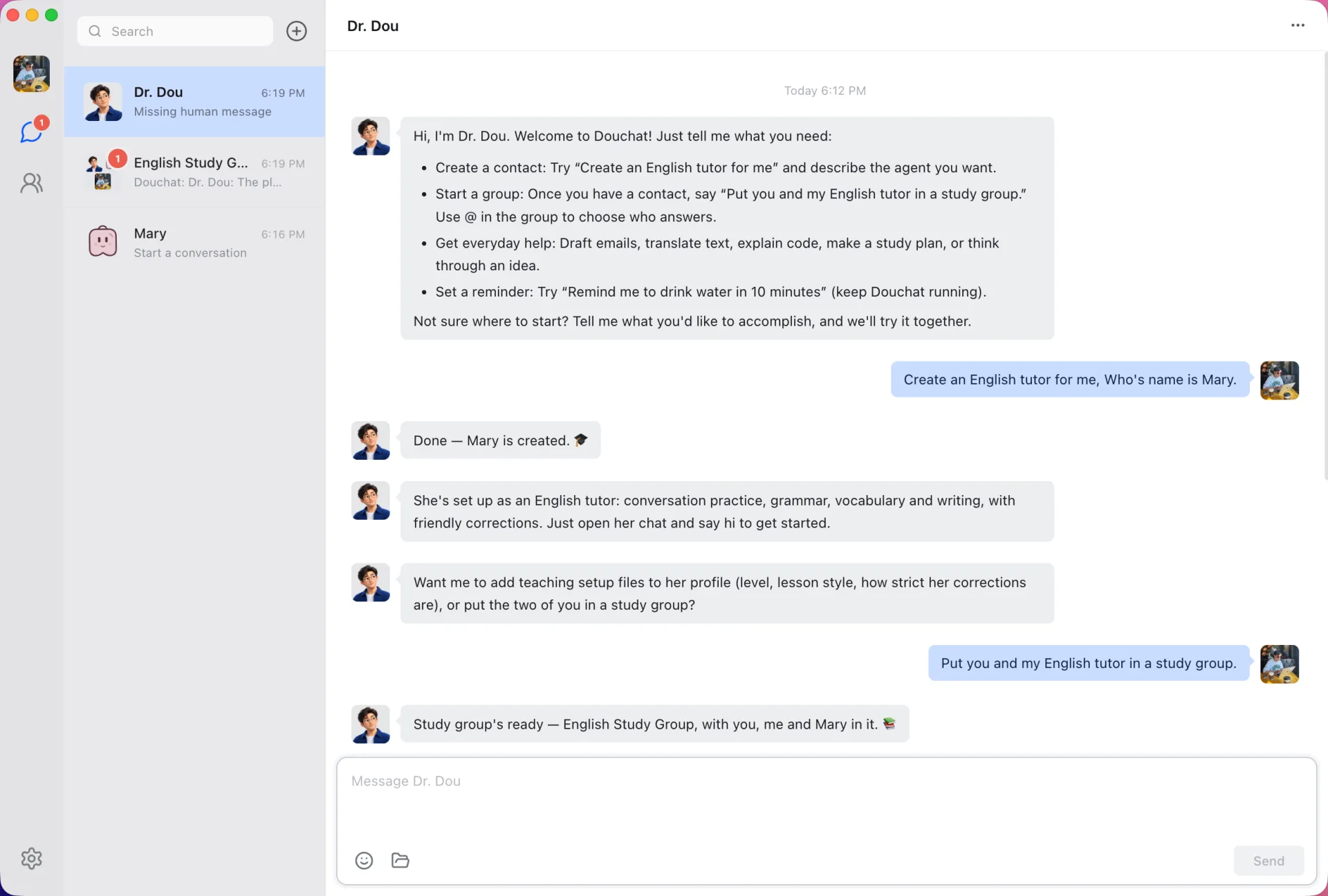
Ask, and the tutor appears
Dr. Dou is Douchat’s built-in admin agent. Ask it for an English tutor, a math coach or a debate partner, and it creates the agent and a study group from the chat. No forms to fill in.
Tutors that remember you
Each agent keeps a profile of you and its own memory, so a tutor knows which words you keep missing or which topic you covered last week. You can open and edit those files in plain Markdown.
A study group that talks back
Put several tutors in one group. @ the one you need, or let them take turns quizzing you. Topics keep separate subjects apart.
Study from any computer or your phone
Your agents and chats sync through your account, so app.douchat.ai picks up where the desktop left off, even on a library computer. With Douchat running at home, you can also message your agents from WeChat, Feishu, WeCom or Telegram.
Start in three messages
- 1
Open Douchat
Download the desktop app or open app.douchat.ai and sign in.
- 2
Ask Dr. Dou
“Create an English tutor and a study group for me.”
- 3
Start practicing
Open the new group and say hi. Adjust the tutor’s instructions any time.
Frequently asked questions
Do I need to install anything?
No. The web app at app.douchat.ai lets you chat with cloud agents and create agents and groups in the browser. Install the desktop app for local agents, voice input and file attachments.
How much does it cost?
Cloud agents use credits that you top up once, with no subscription. You can also add your own model provider and pay it directly.
Can I use it on my phone?
There is no standalone mobile app yet. Connect WeChat, Feishu, WeCom or Telegram to an agent and message it from your phone while Douchat runs on your computer.
Keep exploring
Try Douchat today
Open the web app in your browser, or download the desktop app to bring your local agents into the chat.