
Automation
Scheduled tasks you set up by just saying when
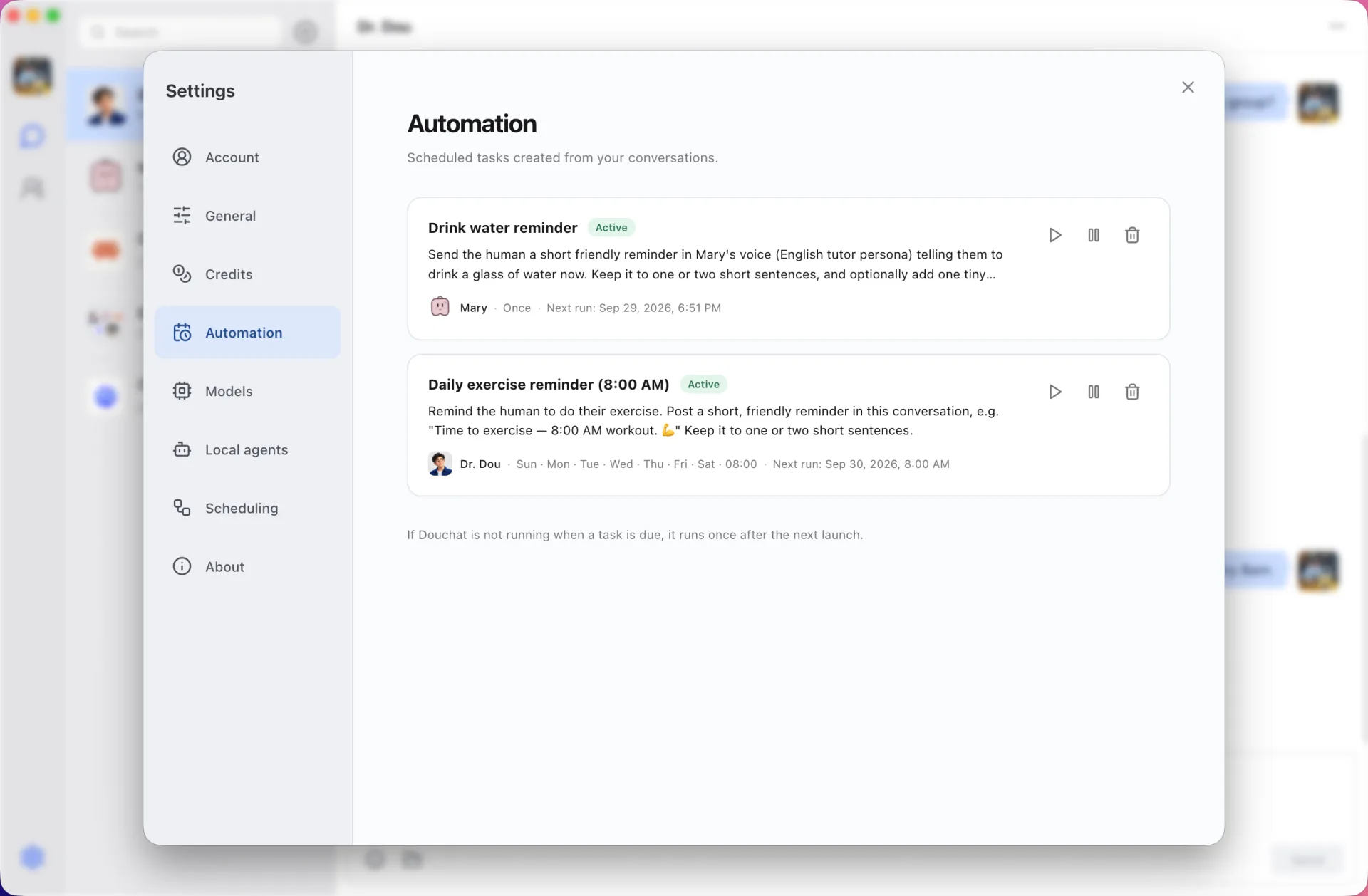
“Remind me to drink water in 10 minutes” or “remind me to exercise every day at 8 AM” turns into a routine that runs on its own.
Created in conversation
Ask an agent to do something later or on a schedule. It creates a one-time or recurring routine, and the result arrives in the chat when it runs.
Managed in one place
Every routine is listed in Settings → Automation with the agent that owns it, so you can review or delete it.
Runs on the computer that created it
Routines sync with your account so every device can see them, but each one runs only on the computer where it was created. Keep Douchat open there for it to fire.
Frequently asked questions
Do routines run when Douchat is closed?
No. A routine runs in Douchat desktop on the computer that created it, so the app needs to be running there.
Can a routine use a local agent?
Yes. A routine belongs to an agent, and local agents run their CLI on your computer as usual.
Where do I see my routines?
In Settings → Automation, with the owner agent and schedule of each routine.
Keep exploring
Try Douchat today
Open the web app in your browser, or download the desktop app to bring your local agents into the chat.