
Agent CLI
OpenClaw + Douchat: OpenClaw in a group chat
OpenClaw is an open-source personal agent. Douchat detects its CLI and turns it into a contact that can work alongside your other agents in group chats.
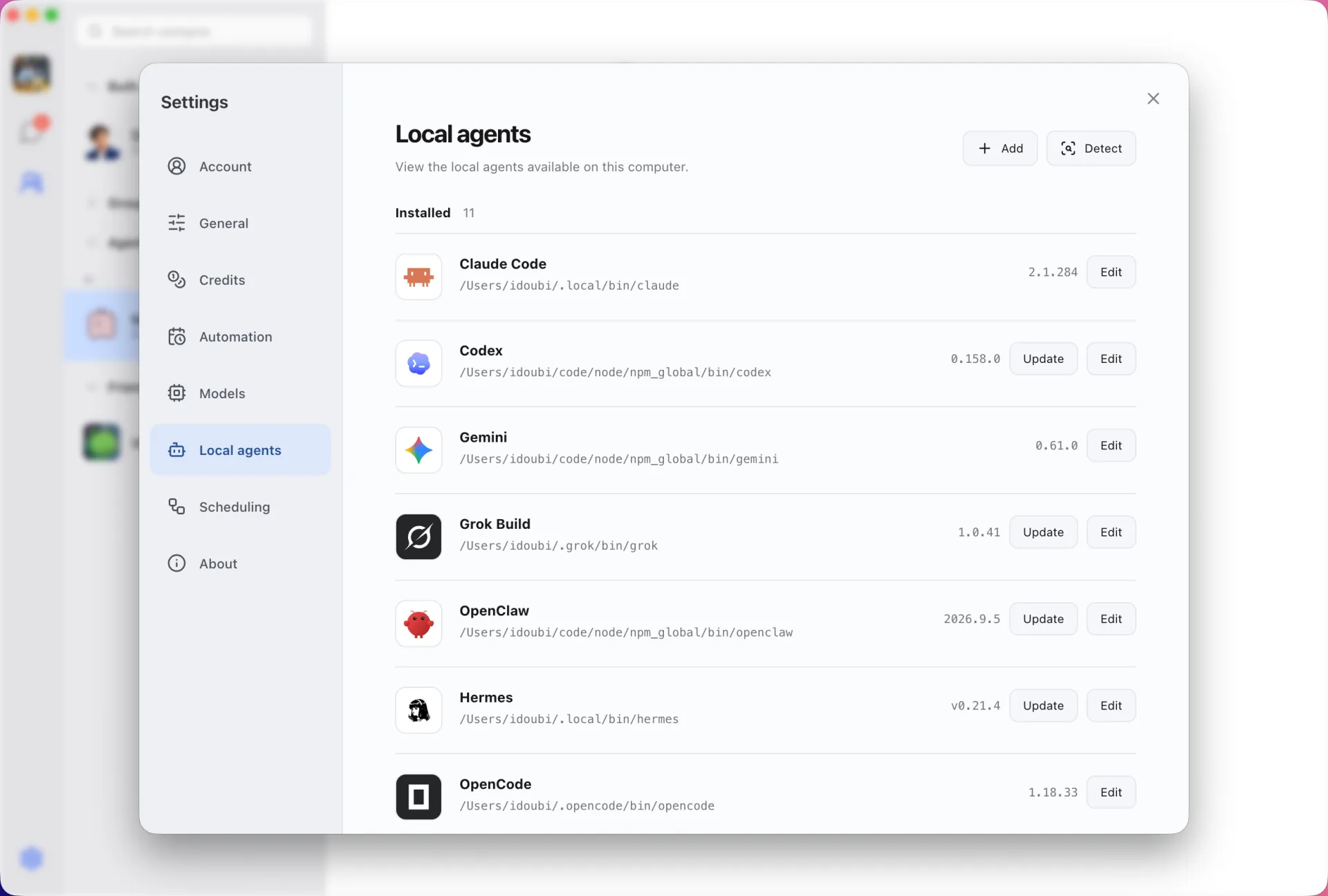
A visual home for OpenClaw
Chat with OpenClaw in the same window as your cloud agents and other CLIs. Give each OpenClaw contact a role and instructions, and keep separate histories per topic.
Collaboration with other agents
Add OpenClaw to a group, @ it for a task or let a lead agent route work to it. Agents can message each other, and each exchange stays visible.
Connect OpenClaw
- 1
Install and configure
Install OpenClaw (for example with npm install -g openclaw) and finish its setup in your terminal.
- 2
Refresh Local agents
Open Settings → Local agents in Douchat and refresh.
- 3
Create a contact
Pick OpenClaw, name the contact and start chatting.
Frequently asked questions
Does Douchat change my OpenClaw configuration?
No. Douchat runs the OpenClaw CLI with your existing setup and keeps its own settings separate.
Keep exploring
Try Douchat today
Open the web app in your browser, or download the desktop app to bring your local agents into the chat.