
Model provider
Use OpenAI models in Douchat with your own key
Add OpenAI as a custom model provider and choose its models for any agent. Requests go to OpenAI with your key, and usage is billed by OpenAI, not Douchat.
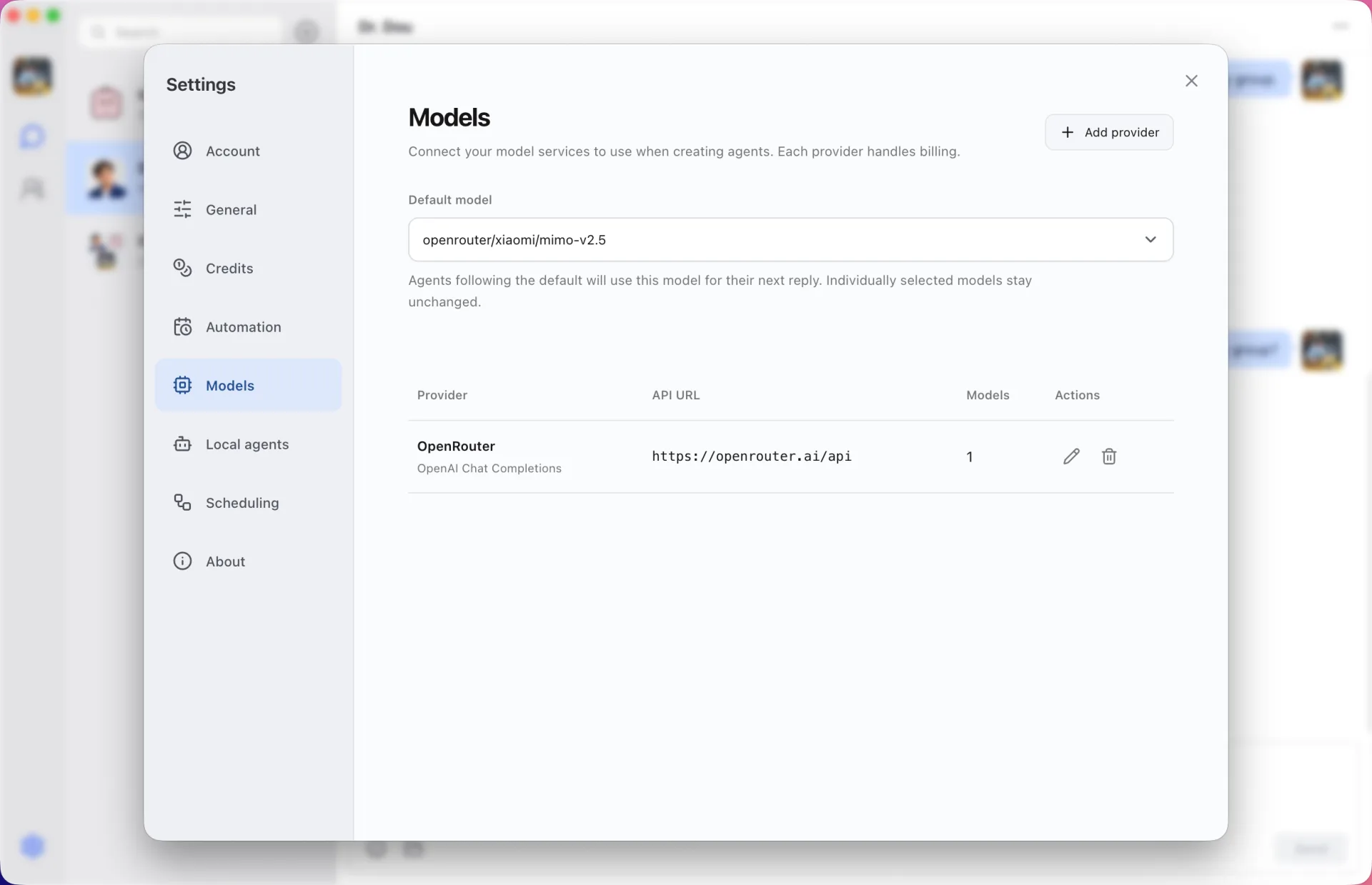
Chat Completions, your models
Douchat calls the OpenAI Chat Completions API with the models you list. Pick a default model, choose a different one per agent, and mark reasoning models so they get room to think.
Your key stays on your computer
The API key is stored encrypted on your computer and is never part of cloud sync. If you change the API address, Douchat asks for the key again.
Add OpenAI
- 1
Open Models
Open the Models settings in the Douchat desktop app and add a provider.
- 2
Enter the details
Choose the OpenAI-compatible format, enter the API address and your API key, and list the models you want.
- 3
Test and choose
Test the connection, then pick a default model or assign one to an agent.
Frequently asked questions
Do OpenAI models use Douchat credits?
No. Custom providers are billed by the provider. Douchat credits only apply to Douchat-hosted cloud models.
Can I use custom models from the web app?
Custom models run through the desktop app, so the web app can use them when your desktop on the same account is online.
Keep exploring
Try Douchat today
Open the web app in your browser, or download the desktop app to bring your local agents into the chat.