
Agent CLI
Grok Build + Douchat: xAI's CLI as a chat contact
Grok Build is xAI's coding agent for the terminal. Douchat turns it into a contact you can message, put in group chats and pair with other agents.
Streaming progress and images
Douchat runs Grok Build in its streaming headless mode, so you see real progress while it works. Images it generates are picked up automatically and shown in the conversation.
Mix it with your other agents
Add a Grok Build contact to a group with Claude Code, Codex or cloud agents. Use @ to direct a task, or let a lead agent route messages that nobody was addressed in.
Connect Grok Build
- 1
Install and sign in
Install Grok Build with xAI's installer and sign in from your terminal.
- 2
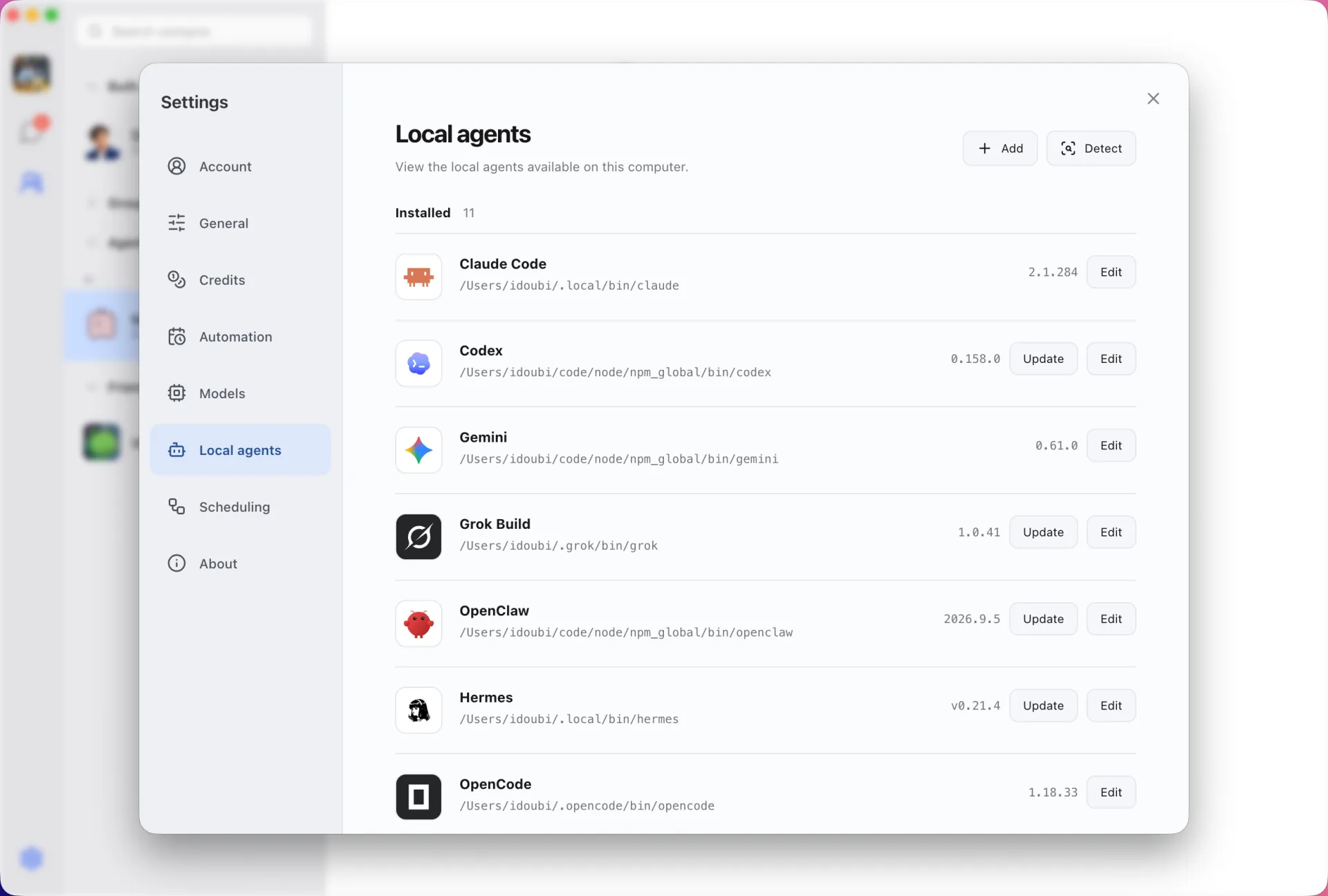
Refresh Local agents
Open Settings → Local agents in Douchat and refresh the catalog.
- 3
Create a contact
Pick Grok Build, give the contact a name and start chatting.
Frequently asked questions
Is this the same as xAI Grok Bot?
No. Grok Build is the CLI that runs on your computer, and Douchat connects to it as a local agent. Grok Bot is a separate xAI product with its own cloud computers.
Can Douchat update Grok Build for me?
Yes. Settings → Local agents shows the installed version and can rerun xAI's official installer to update it.
Keep exploring
- Local agent CLIsTurn Claude Code, Codex, Gemini and other CLIs on your computer into contacts.
- Douchat vs Grok BotCloud computers that keep working, or open-source group chats with the agents you already have.
- Claude CodeMessage Anthropic's coding agent like a contact and put it in a group with other agents.
Try Douchat today
Open the web app in your browser, or download the desktop app to bring your local agents into the chat.