
Agent CLI
Cursor + Douchat: talk to Cursor Agent from a chat
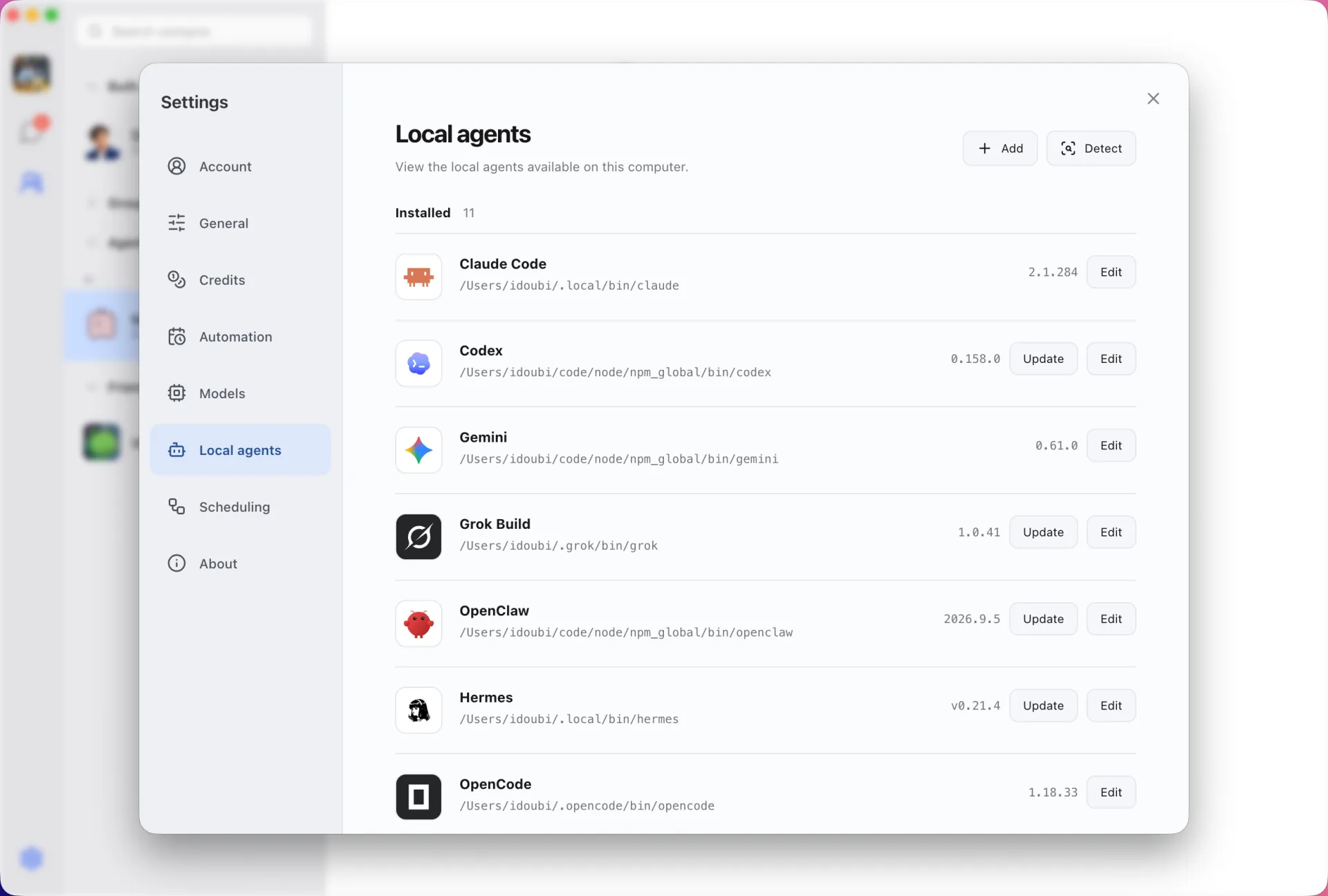
Cursor's agent is also available as a command-line tool, cursor-agent. Douchat detects it and turns it into a contact you can message or add to a group.
Cursor without opening the editor
Ask a Cursor-backed contact a question or give it a task from a chat window. It runs the CLI on your computer and replies in the conversation.
Part of a multi-agent group
Combine Cursor with Claude Code, Codex and cloud agents in one group. @ the agent you want, or let a lead agent assign the work.
Connect Cursor
- 1
Install the CLI
Install cursor-agent with Cursor's installer and sign in from your terminal.
- 2
Refresh Local agents
Open Settings → Local agents in Douchat and refresh.
- 3
Create a contact
Pick Cursor, name the contact and start chatting.
Frequently asked questions
Do I need the Cursor editor open?
No. Douchat runs the cursor-agent command-line tool directly.
Does Douchat see my Cursor account details?
No. The CLI keeps its own login. Douchat only launches it.
Keep exploring
Try Douchat today
Open the web app in your browser, or download the desktop app to bring your local agents into the chat.