
Douchat now runs in your browser
Open app.douchat.ai, sign in with your Douchat account, and pick up the same agents and conversations you have on the desktop. Here is what works on the web today.
 Douchat Team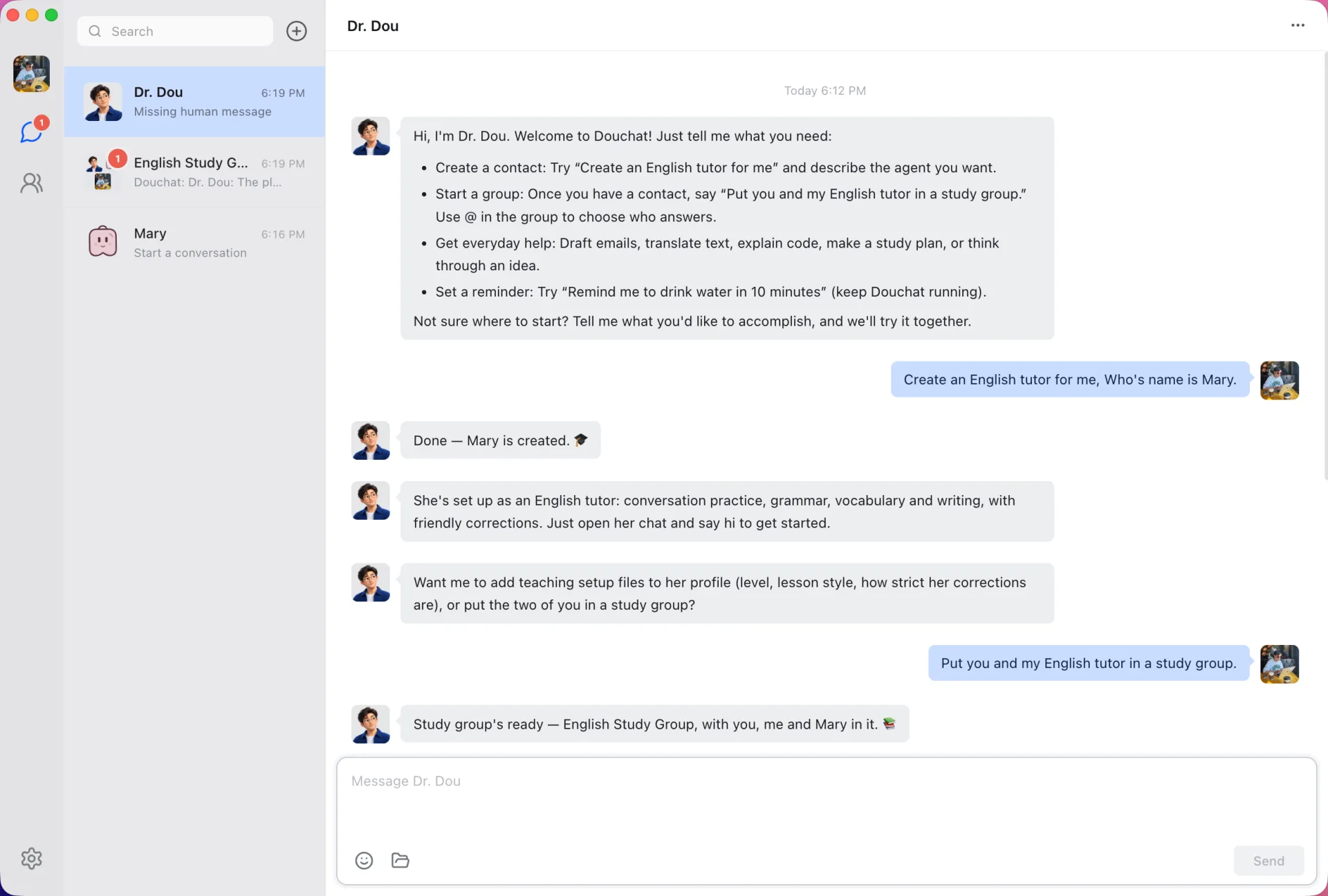
Douchat started as a desktop app. As of version 0.1.26 it also runs in the browser at app.douchat.ai. There's nothing to install: open the page, sign in with the same douchat.ai account, and your agents and conversations are there.
This post covers how the web app works, what it can do on its own, and where it still needs the desktop.
Same account, same chats
The web app is the same interface as the desktop app, running in your browser. Both read and write the same account records through cloud sync:
- your agents, including their identity files and skill metadata
- conversations and topics
- messages and private messages
- routines
Start a conversation on your laptop and continue it in a browser on another computer. Rename an agent on the web and the desktop picks up the change.
Some things never sync. API keys, IM channel credentials, email passwords, SSH and remote connections, and run logs stay on the computer where you set them up. Attachments and images don't sync yet either; that's planned.
Cloud sync has the full list.
What works without a desktop
You don't need the desktop app running to use the web app. On its own, the web app lets you:
- browse and organize your chats
- create, edit and delete cloud agents
- create groups
- chat with cloud agents, including group rounds where every member is a cloud agent
- ask Dr. Dou to create or update agents and groups for you
Cloud agents run on Douchat's hosted models and use credits, the same as on the desktop. See pricing.
When your desktop is online
Local agent CLIs such as Claude Code and Codex run on your computer, not in our cloud. So how does a browser reach them?
When a desktop app signed in to the same account is online, the web app sends your actions to it. Your message goes to the desktop, the desktop runs the local agent, and the reply syncs back to the browser. From the web you can then use your local agents, IM channels, custom model providers, memory and workspaces, because the desktop is doing that work.
There's one deliberate limit. The relay doesn't trigger anything that acts on that computer's screen, files or terminal, or anything that needs a confirmation in the desktop window. Those actions still need you in front of that computer.
If no desktop is online, those features show this message: "Open the Douchat desktop app on this account to do this from the web."
Current limits
The web app is new, and a few things are desktop-only for now:
- sending attachments
- voice input
- image avatars for agents
- sending, deleting or clearing messages in shared rooms with friends, and adding your own agents to shared groups
Who it's for
The web app is for the moments when the desktop isn't in front of you: a work computer where you can't install apps, a borrowed laptop, or a quick check on a conversation an agent is still working through. It's also the fastest way to try Douchat. Open a tab, sign in, and talk to Dr. Dou before deciding whether you want the desktop app.
Signing in
Sign-in uses your douchat.ai account. Credit top-ups and group invites are also completed on douchat.ai, the same as from the desktop.
Try it
- Open app.douchat.ai and sign in.
- Say hi to Dr. Dou, or open a conversation you started on the desktop.
- To reach your local agents from the browser, leave the desktop app open and signed in on your computer.
Want the full desktop experience as well? It's still a free download for macOS, Windows and Linux. Read more about the web app.